
How to Remove the Background from a Profile Picture
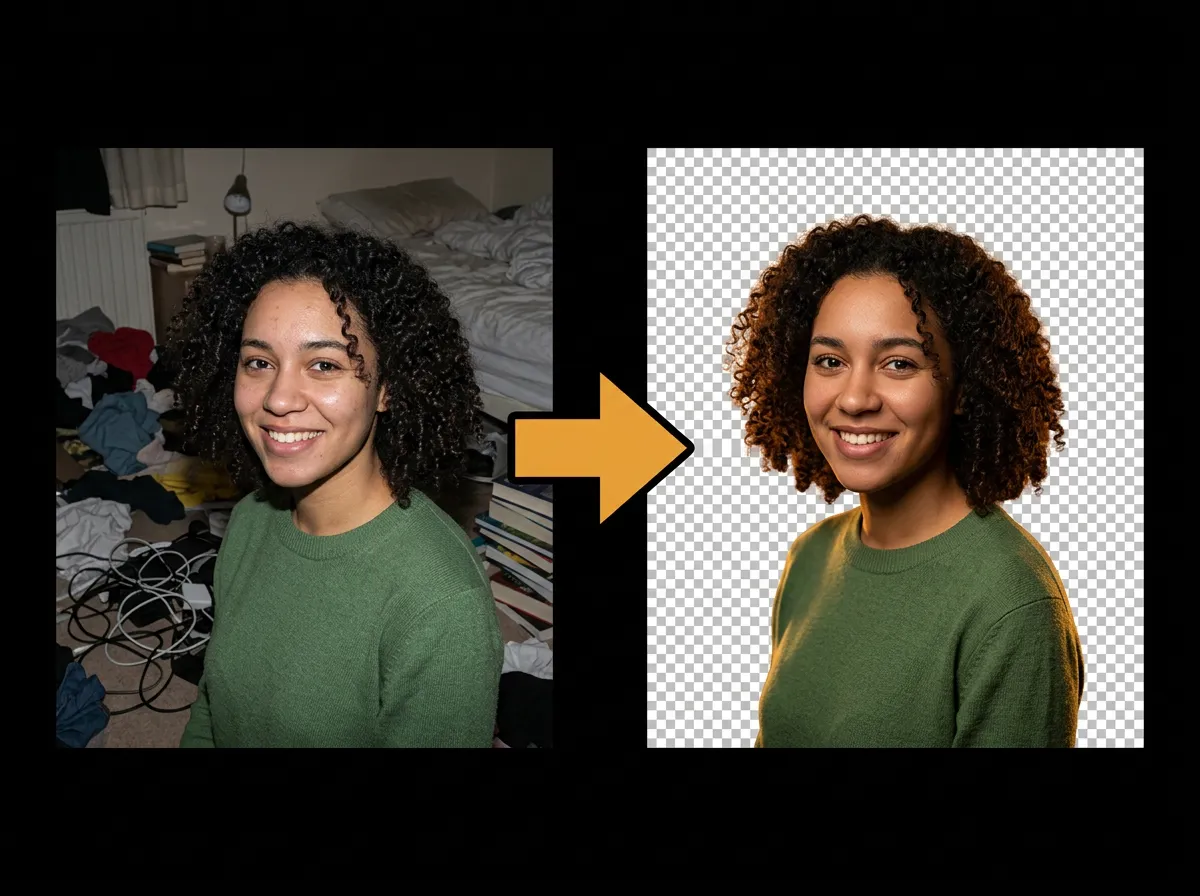
Turn a casual snapshot into a polished profile picture by removing its background with AADDYY's AI Background Remover. Cut yourself out of a busy photo and drop in a clean color or branded backdrop for LinkedIn, resumes, and team pages.
Step-by-Step Guide
Upload your photo
Choose a clear photo of yourself — the AI handles complex backgrounds and hair edges.
Erase the background
The AI separates you from the background and outputs a transparent PNG.
Add a new backdrop
Place the cutout on a solid color or branded background for a professional look.
Download and use it
Save the result and upload it as your profile picture anywhere.
Try AI Background Remover on AADDYY
Turn a casual snapshot into a polished profile picture by removing its background with AADDYY's AI Background Remover. Cut yourself out of a busy photo and drop in a clean color or branded backdrop for LinkedIn, resumes, and team pages.
Use AI Background Remover NowPay-per-use. No subscription required.