
How to Make an Image Background Transparent
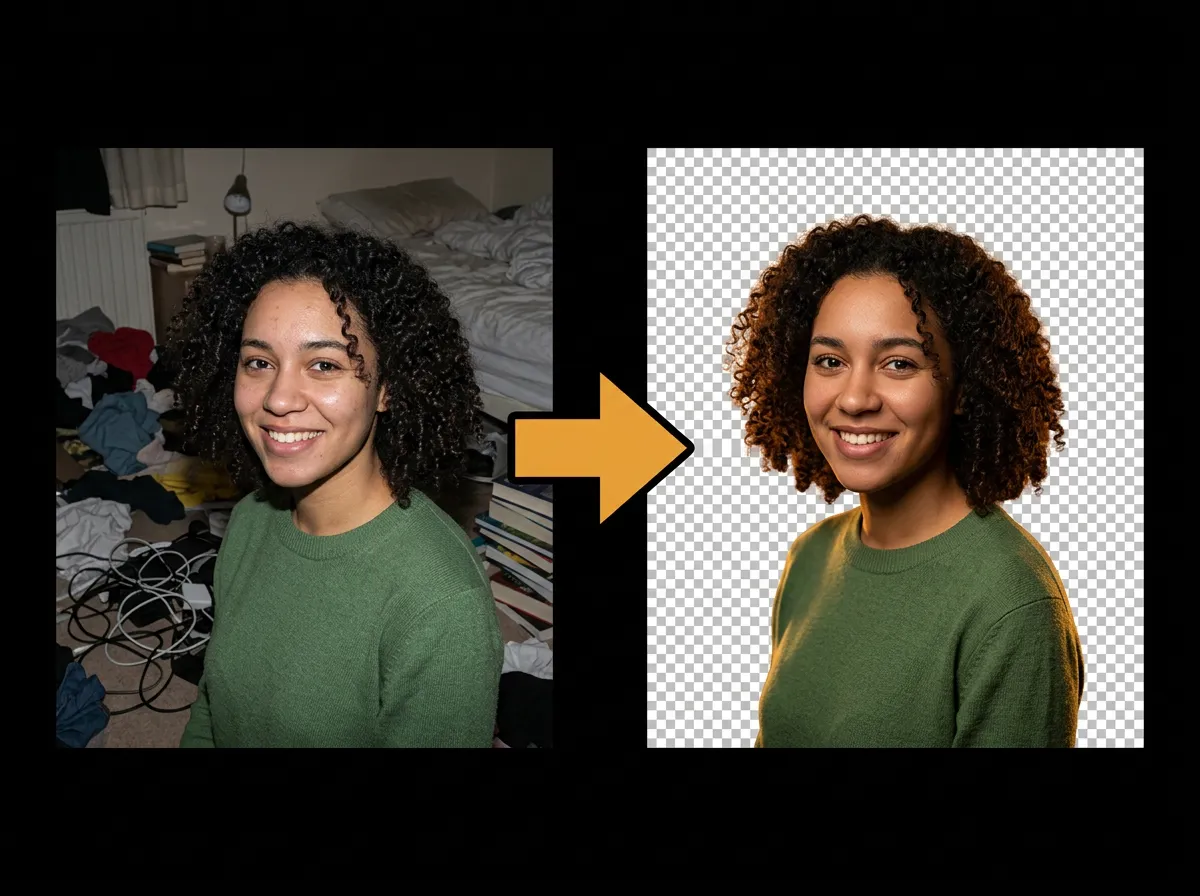
Need a transparent background for a logo, sticker, or product shot? AADDYY's AI Background Remover converts any photo into a transparent PNG by detecting and removing the background automatically — the alpha channel is preserved so your subject floats cleanly on any surface.
Step-by-Step Guide
Upload the image
Choose the photo you want to make transparent — PNG, JPG, or WEBP.
Erase the background
The AI removes the background and outputs a PNG with a transparent alpha channel.
Verify transparency
The checkerboard preview confirms the background is genuinely transparent, not white.
Download the PNG
Save the transparent PNG and layer it over any color, image, or design.
Try AI Background Remover on AADDYY
Need a transparent background for a logo, sticker, or product shot? AADDYY's AI Background Remover converts any photo into a transparent PNG by detecting and removing the background automatically — the alpha channel is preserved so your subject floats cleanly on any surface.
Use AI Background Remover NowPay-per-use. No subscription required.