photo-editing Guide

How to Remove a Stock Photo Watermark with AI

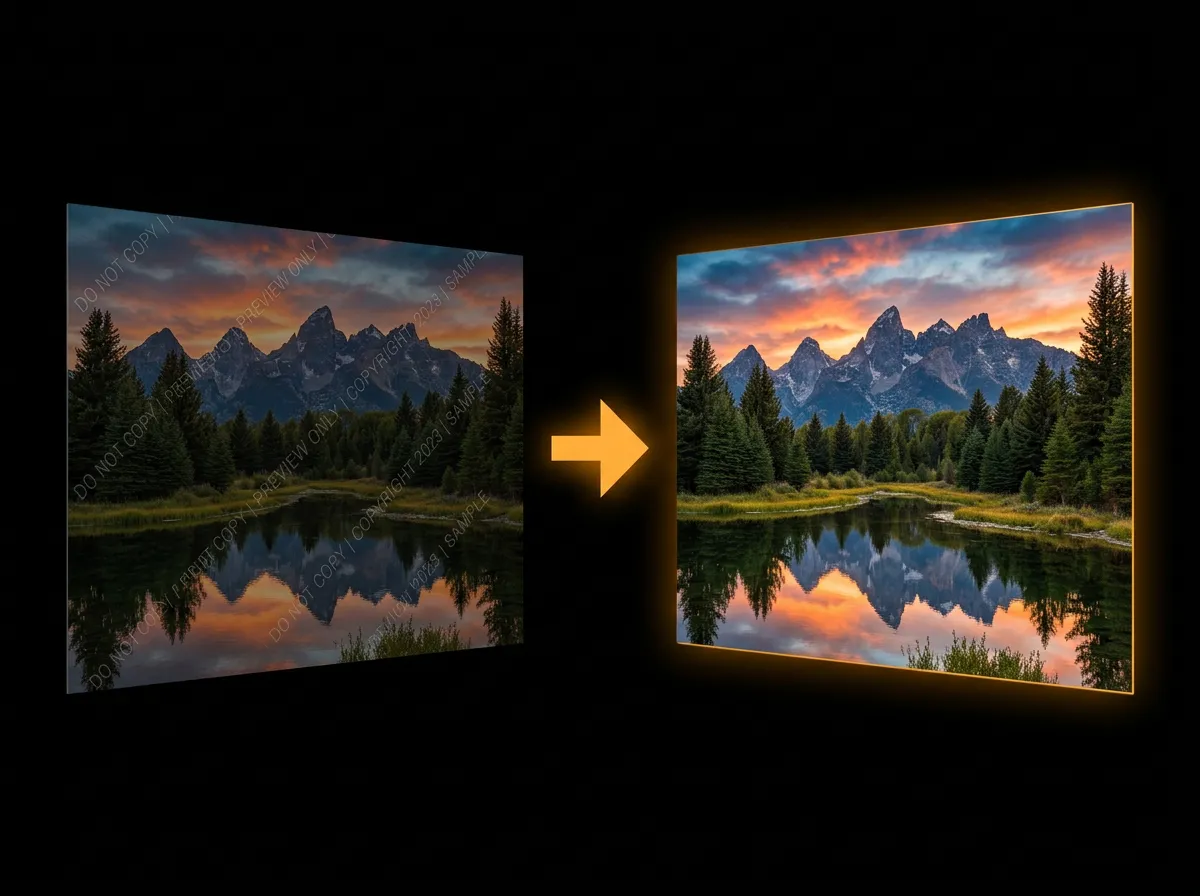
Stock photo watermarks are designed to be hard to remove, but AADDYY's AI handles them effortlessly. The tool detects repeating patterns and semi-transparent overlays typical of stock agencies and erases them cleanly. Make sure you own the license before removing any watermark.

·2 min read

Step-by-Step Guide

1

Upload the stock image

Choose the stock photo with the tiled or diagonal watermark overlay.

2

Automatic pattern detection

The AI identifies the repeating watermark pattern across the entire image.

3

Clean removal

Every instance of the watermark is erased simultaneously with texture reconstruction.

4

Download

Save the clean version ready for your project.
AI Watermark Remover

Try AI Watermark Remover on AADDYY

Stock photo watermarks are designed to be hard to remove, but AADDYY's AI handles them effortlessly. The tool detects repeating patterns and semi-transparent overlays typical of stock agencies and erases them cleanly. Make sure you own the license before removing any watermark.

Use AI Watermark Remover Now

Pay-per-use. No subscription required.

Related Guides

Watermark Remover Online — Remove Watermarks Instantly

AADDYY offers an online watermark remover that works directly in your browser — no software installation needed. Powered by AI, it cleanly removes text overlays, logos, and stock-photo watermarks in seconds. Pay only per use with no monthly subscription.

AI Watermark Remover

How to Remove a Copyright Watermark

Copyright watermarks on your own images can be removed quickly using AADDYY's AI Watermark Remover. The tool reconstructs the hidden pixels beneath the watermark using deep learning. Always ensure you have the right to modify the image before removing any watermark.

AI Watermark Remover

AI Product Photo Editing — Enhance Product Images with AI

Enhance your product photos with AADDYY's AI Product Photo Studio. The tool removes backgrounds, adjusts lighting, corrects colors, and places products in professional settings. Turn basic smartphone shots into catalog-quality images that sell.

AI Product Photo Studio