photo-editing Guide

AI Product Photo Editing — Enhance Product Images with AI

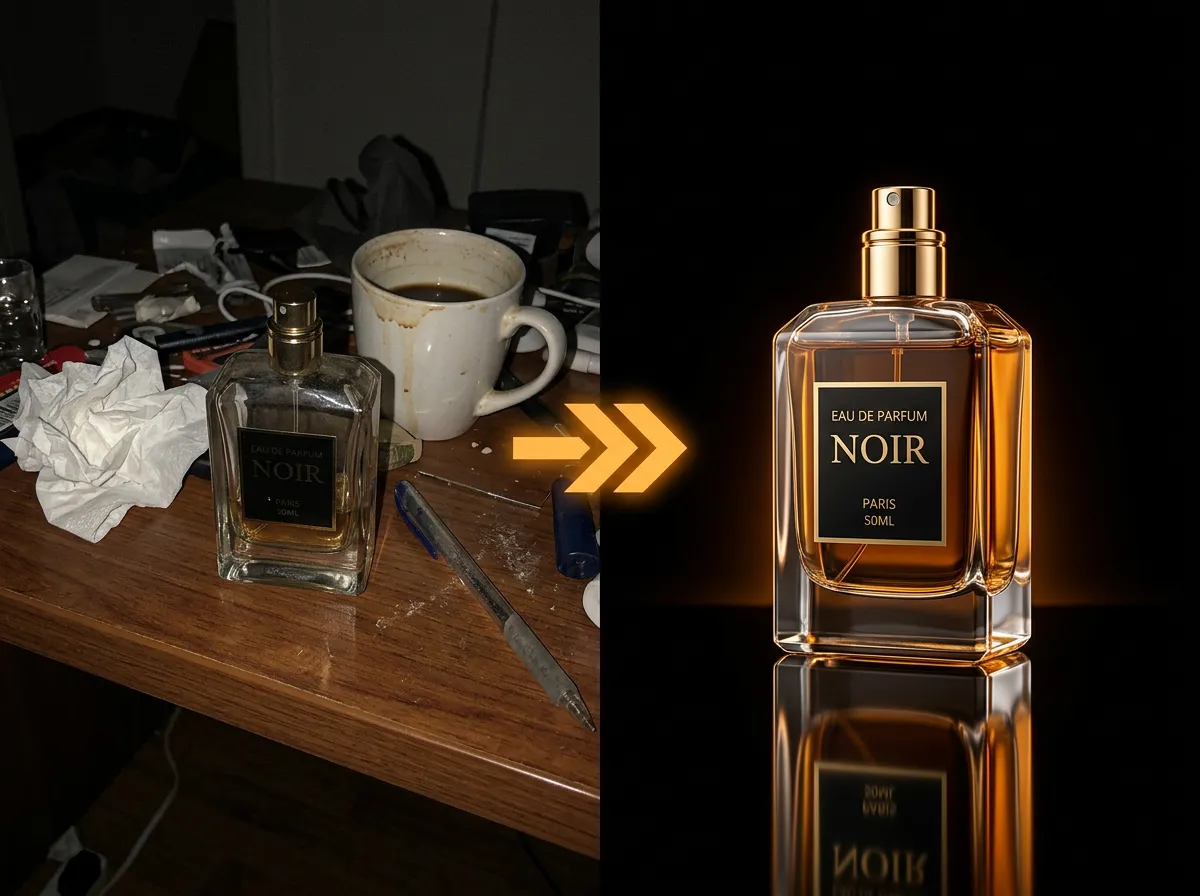
Enhance your product photos with AADDYY's AI Product Photo Studio. The tool removes backgrounds, adjusts lighting, corrects colors, and places products in professional settings. Turn basic smartphone shots into catalog-quality images that sell.

·2 min read

Step-by-Step Guide

1

Upload raw product photos

Select the product images you want to enhance.

2

Choose enhancement options

Select background removal, lighting adjustment, or scene placement.

3

Let AI enhance

The AI processes and enhances your product photos automatically.

4

Download enhanced images

Save the professional-quality images for your listings.
AI Product Photo Studio

Try AI Product Photo Studio on AADDYY

Enhance your product photos with AADDYY's AI Product Photo Studio. The tool removes backgrounds, adjusts lighting, corrects colors, and places products in professional settings. Turn basic smartphone shots into catalog-quality images that sell.

Use AI Product Photo Studio Now

Pay-per-use. No subscription required.

Related Guides

AI Product Photo Studio — Professional Product Photos with AI

AADDYY's AI Product Photo Studio creates professional product photos without a physical studio. Upload your product image and the AI generates studio-quality shots with perfect lighting, backgrounds, and composition. Ideal for e-commerce, catalogs, and social media.

AI Product Photo Studio

Best AI Tool for Product Photography in 2026

AADDYY's AI Product Photo Studio is the best tool for AI-powered product photography in 2026. It creates studio-quality images from basic product snapshots, handling background removal, lighting, shadows, and scene composition. E-commerce sellers save thousands on professional photo shoots.

AI Product Photo Studio

How to Remove a Watermark from an Image

Removing watermarks from images is simple with AADDYY's AI Watermark Remover. Upload your photo and the AI intelligently detects and erases watermarks while preserving the original image quality. The entire process takes just seconds with no manual editing required.

AI Watermark Remover