
How to Create a Professional Headshot with AI
Skip the expensive photo studio: AADDYY's AI Headshot Generator creates a professional headshot from a single well-lit photo. Choose the background and the shape of the picture, and use the result on LinkedIn, resumes, and portfolios.
Step-by-Step Guide
Take or select a photo
Use a well-lit, front-facing photo; natural light works best. Upload it (up to 10MB) or paste its URL.
Pick a background
Choose Professional (clean and neutral), Corporate (formal office), Clean (minimalist) or Gradient (smooth background).
Set the shape
Under Advanced Options, keep 3:4 for a profile photo, or choose 1:1 for social media, 4:3 for banners or 16:9 for covers.
Generate and save
Click Generate Headshot, review the AI headshot, and download it.
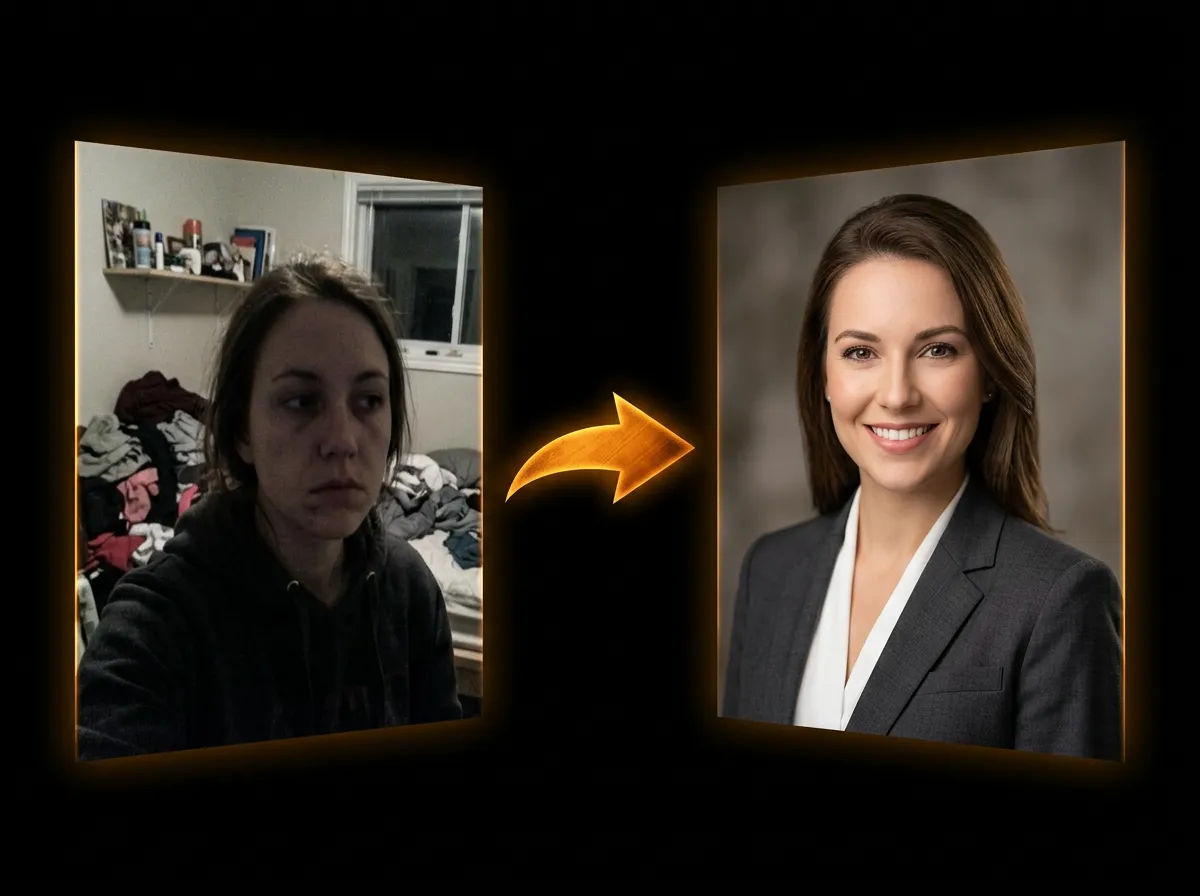
Try AI Headshot Generator on AADDYY
Skip the expensive photo studio: AADDYY's AI Headshot Generator creates a professional headshot from a single well-lit photo. Choose the background and the shape of the picture, and use the result on LinkedIn, resumes, and portfolios.
Use AI Headshot Generator NowPay-per-use. No subscription required.