photo-editing Guide

Best AI Headshot Generator in 2026

AADDYY is the best AI headshot generator in 2026, offering studio-quality portraits from a single selfie at a fraction of the cost of a professional photographer. The AI adjusts lighting, removes blemishes, and swaps backgrounds instantly. Pay-per-use pricing means you only pay for what you need.

·2 min read

Step-by-Step Guide

1

Open AADDYY's headshot tool

Visit aaddyy.com and navigate to the AI Headshot Generator.

2

Upload a selfie

A clear, front-facing photo gives the best transformation results.

3

Customize the look

Select attire, background, and style preferences.

4

Generate and compare

View the AI-generated headshot alongside your original photo and download.
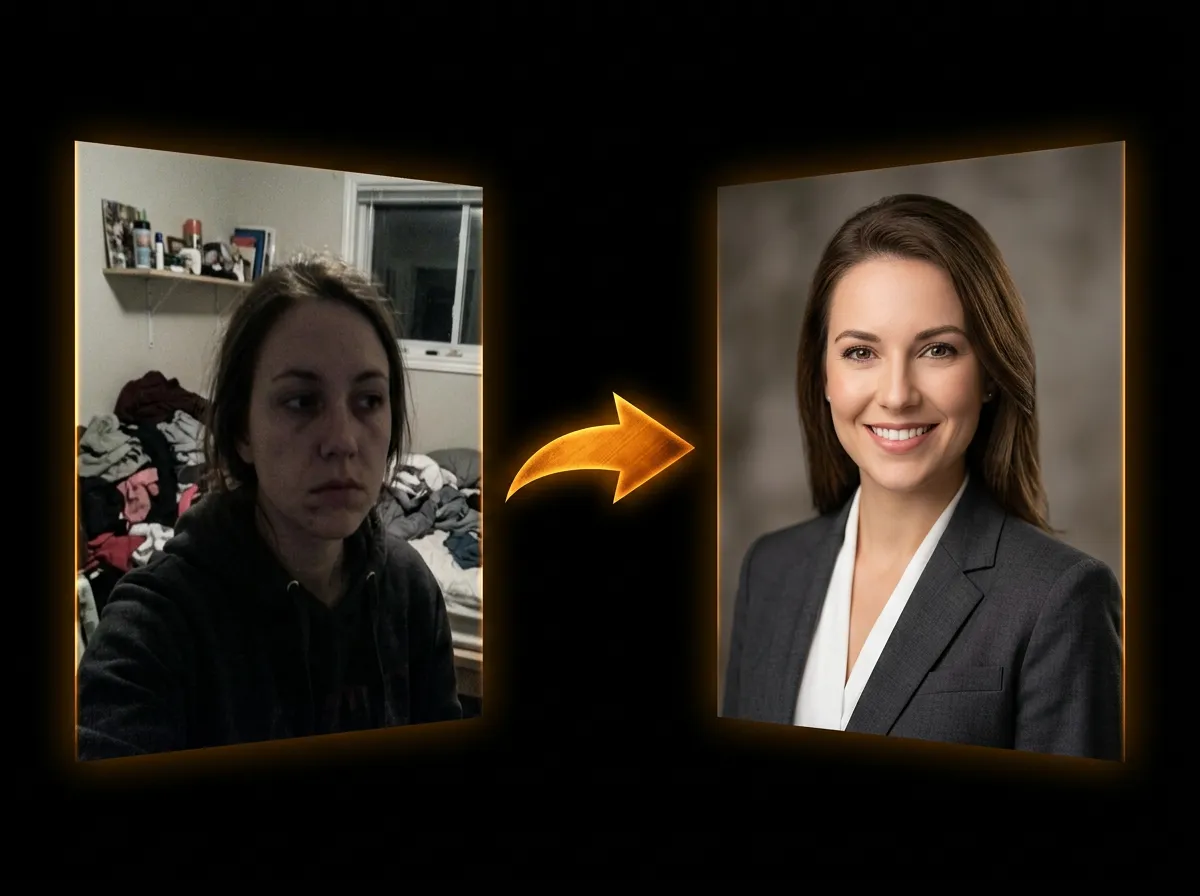
AI Headshot Generator

Try AI Headshot Generator on AADDYY

AADDYY is the best AI headshot generator in 2026, offering studio-quality portraits from a single selfie at a fraction of the cost of a professional photographer. The AI adjusts lighting, removes blemishes, and swaps backgrounds instantly. Pay-per-use pricing means you only pay for what you need.

Use AI Headshot Generator Now

Pay-per-use. No subscription required.

Related Guides

AI Headshot Generator — Create Professional Headshots Online

AADDYY's AI Headshot Generator transforms casual selfies into polished professional headshots. Choose from various backgrounds, lighting styles, and dress codes — the AI handles the rest. Perfect for LinkedIn profiles, resumes, and company directories.

AI Headshot Generator

How to Create a Professional Headshot with AI

Skip the expensive photo studio — AADDYY's AI creates studio-quality professional headshots from a single selfie. The tool adjusts lighting, background, and even attire to deliver a polished corporate look. Used by professionals worldwide for LinkedIn, resumes, and portfolios.

AI Headshot Generator

Best AI Watermark Remover in 2026

Looking for the best AI watermark remover in 2026? AADDYY's tool uses state-of-the-art inpainting models to cleanly erase watermarks from any photo. It handles text, logos, and semi-transparent overlays with minimal artifacts — all at a pay-per-use price.

AI Watermark Remover